

Compare listings in your rig's detected algorithm without treating one cheap rig as the whole market.
For MiningRigRentals rig owners · Any miner brand
Protect your floor. Price for the next rental.
No Nano 3S required. RentalFlow is a standalone application for rigs listed on MiningRigRentals, regardless of who built the miner.
HashPower RentalFlow gives rig owners market-aware next-listing prices, an optional premium percentage and local safety checks before any automatic change.
Create a HashPower account or sign in to choose how many MRR listing slots to license. Checkout keeps this product selected when you return from login.
Automatic pricing for MiningRigRentals · Standalone Windows app. No HashPower OS firmware purchase required. RentalFlow detects each rig's mining algorithm from MRR; there is no algorithm to guess.
Read the video walkthrough
An illustrative lowball listing appears at $0.42 per day, beside a $0.66 relevant-market reference and a $0.78 sample target. The video shows the market, My Rigs and optional 10% premium controls. It then explains cost-floor, cooldown, booked-rental and change-limit checks for the next advertised rate. An exact listing-slot confirmation and optional read-only miner-status overview show how different rigs fit. The released Alerts tab shows rental, floor and uncertain price-write notices and separate opt-in Discord, email and phone choices. Local Discord needs your opt-in, a test and observed arrival; managed email and phone require separate enrollment and delivery checks. No live rental, price write, device connection or alert delivery is shown. The illustrative 10-rig monthly calculation is $187.20 gross, less $50.40 electricity and $5.62 fees, for $131.18 estimated net. It assumes 80% rented time, 140 W per rig, $0.05/kWh and a 3% fee. This sample excludes hardware, taxes and other costs. Actual outcomes vary; no rental or earnings are guaranteed.
The cheapest listing is not your cost model.
When a pricing rule follows the cheapest listing, one unusually low offer can pull a rig toward a rate that does not cover its electricity, fees and other costs. RentalFlow compares relevant sellers, exposes thin or stale market evidence, and checks your configured floor before an approved change. No tool can guarantee a rental or the highest profitable price.
Add an optional percentage above the market reference when your equipment and service justify it.
Account for electricity, service fees, costs and permitted range before a next-listing update.
One view from market evidence to verified listing.
- Any MRR-listed miner brand: the app discovers your rigs and their algorithms from your MRR account. It holds pricing when MRR's unit or comparable market evidence is incomplete.
- Automatic next-listing pricing: review a recommendation, explicitly enable automation and set limits for each licensed rig.
- My Rigs and listing slots: search and filter every discovered rig in a list or card view. See its detected algorithm, speed, region, availability, last-refreshed listed rate and license state. Choose an available slot and confirm the MRR-observed rig name and exact ID.
- Your view, your workflow: save a list or card default and comfortable or compact spacing in Settings. These display choices do not affect pricing.
- Premium preference: add a market percentage when underpriced listings pull automatic market rates below what your equipment and costs justify.
- Rental awareness: keep active and booked contract terms separate from the next advertised listing rate.
- Profit and delivery safeguards: electricity, fees, hashrate, range, cooldown, step size and booking checks run locally.
- Safe changes: durable intent, no blind retry after an uncertain send, and exact normalized readback after a change.
- Live status and history: see rig state, comparable listings, decisions, activity and past outcomes.
- Protected MRR secret: your API secret stays on your computer. HashPower briefly forwards one-use signed MRR requests to verify a listing you select for a paid slot; pricing receives minimal normalized context.
Know the listing. Know when it needs attention.
RentalFlow's protected MRR pricing works without a miner connection or a firmware purchase. The current download includes the Alerts tab and opt-in local Discord notices. Email and phone delivery remain separately gated until each destination is enrolled and validated.
See the app and the decisions behind a price.
These are captures of the working interface populated with synthetic demonstration rigs and values. They do not show a customer account or a live rental price change.
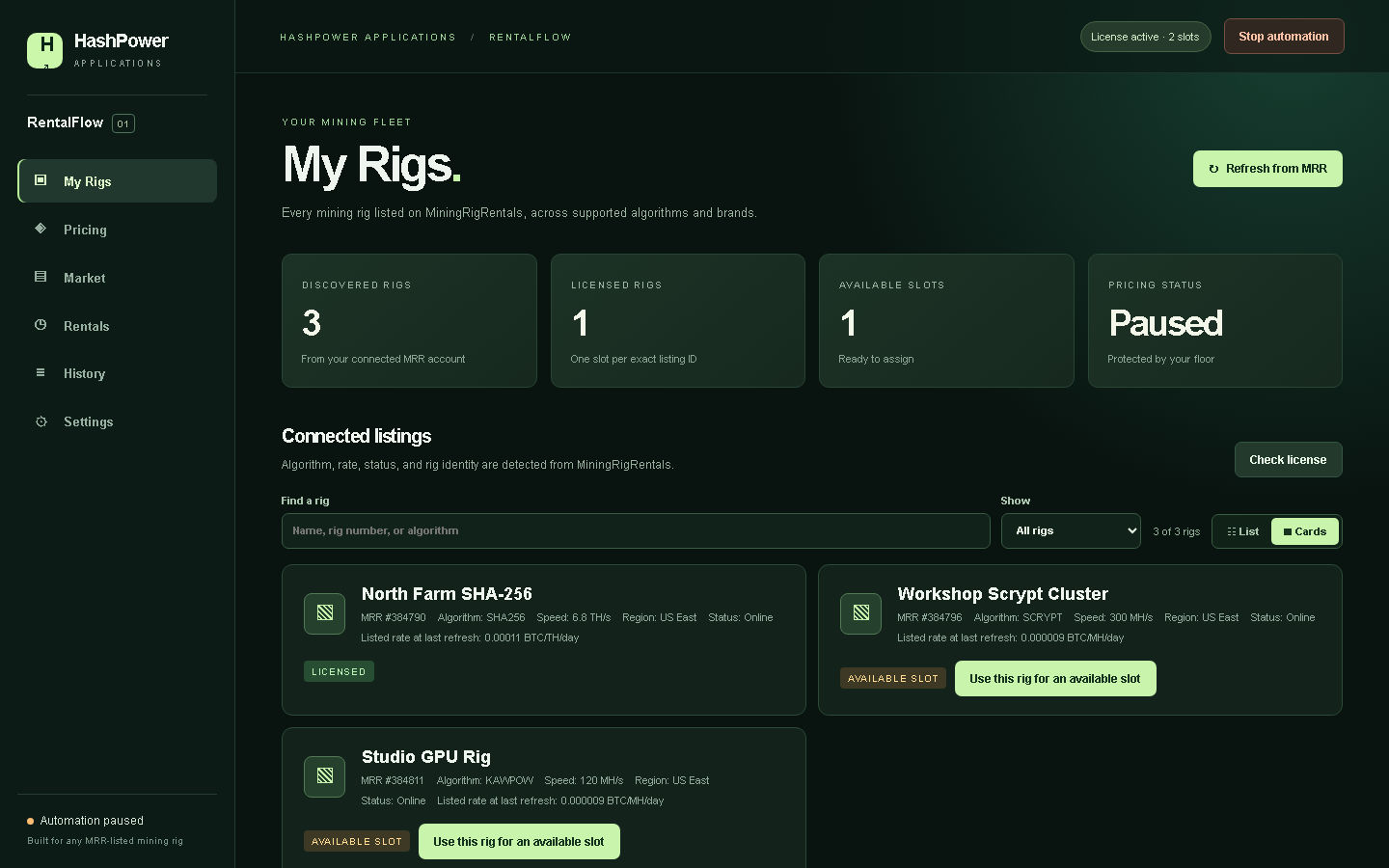
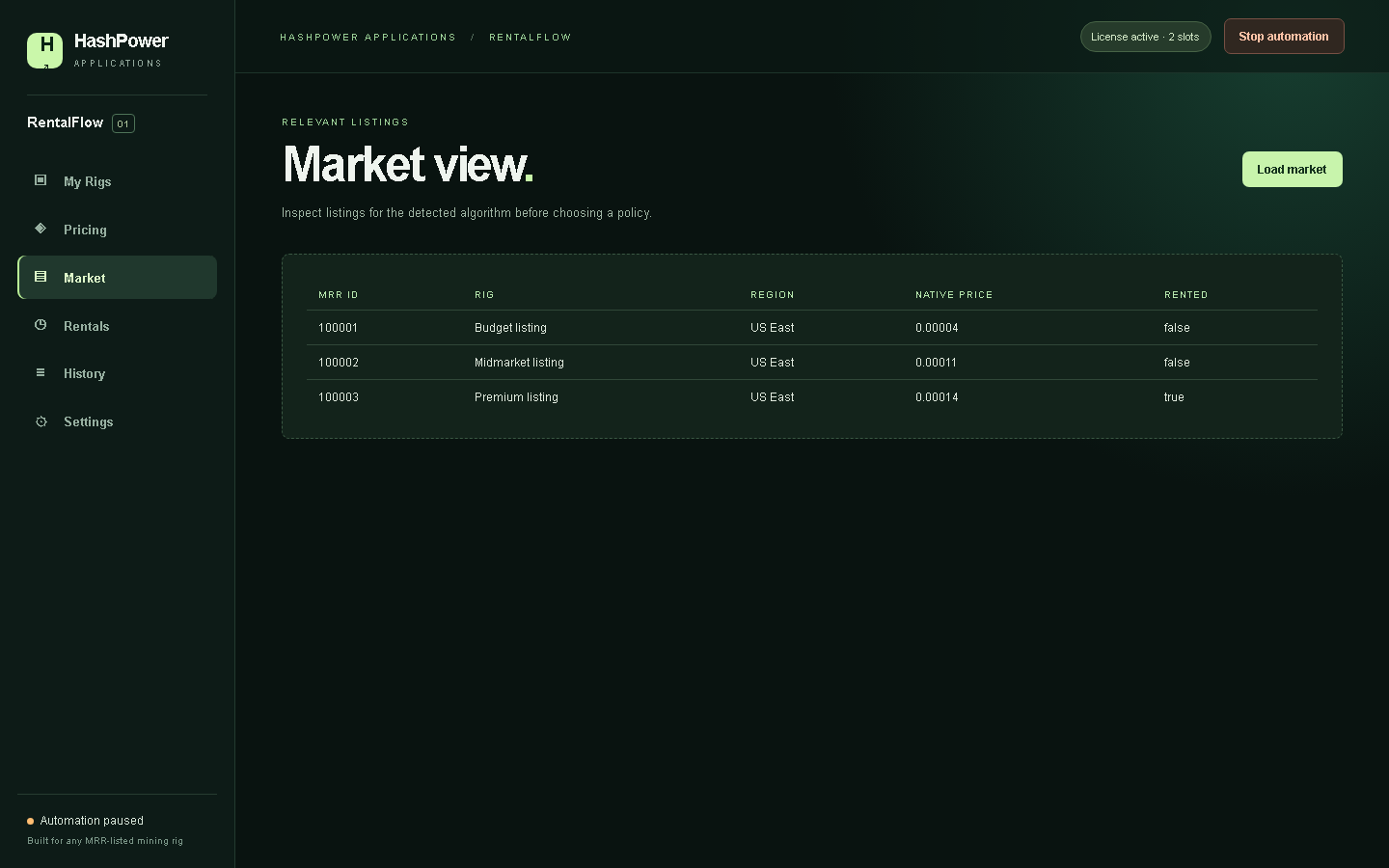
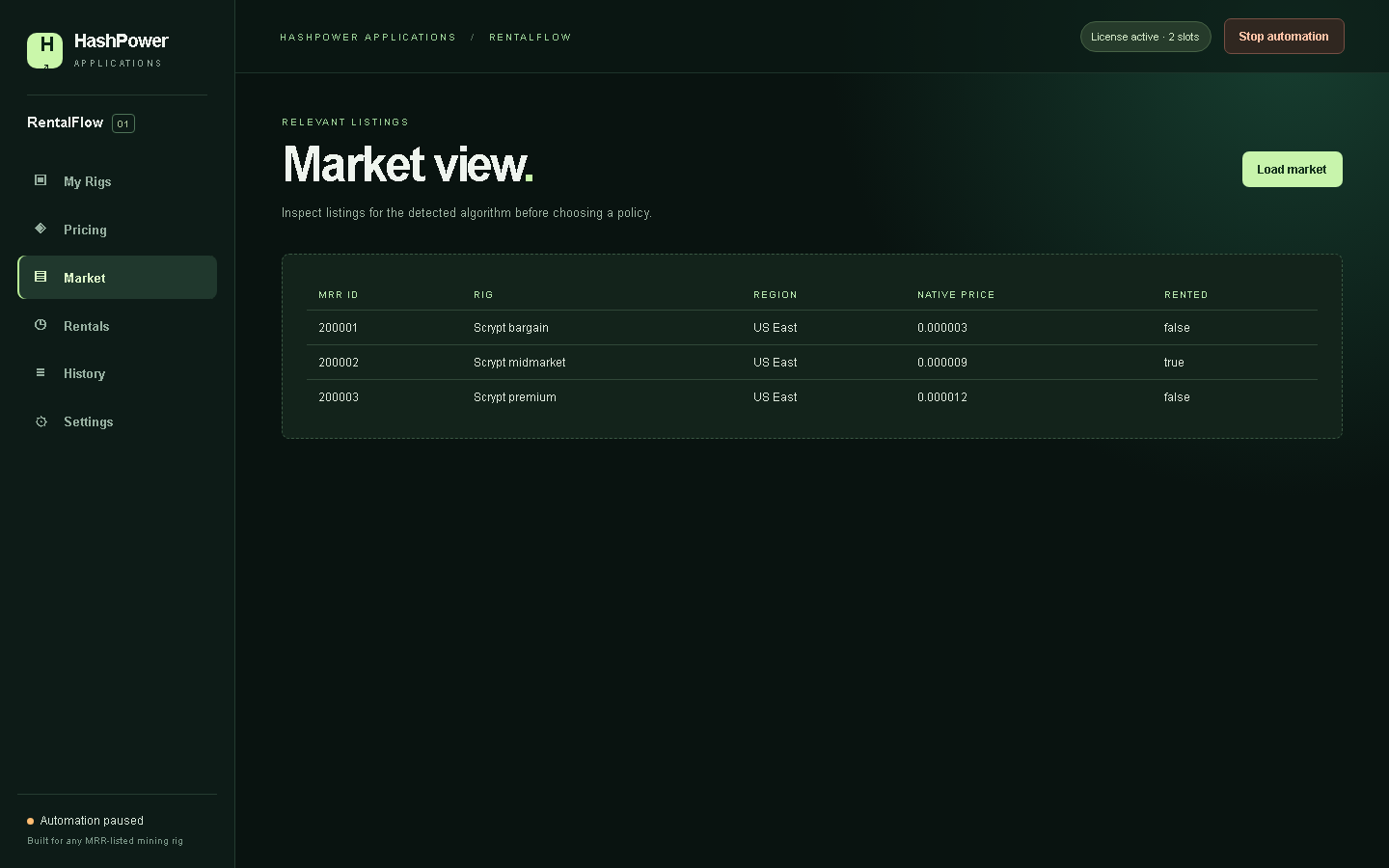
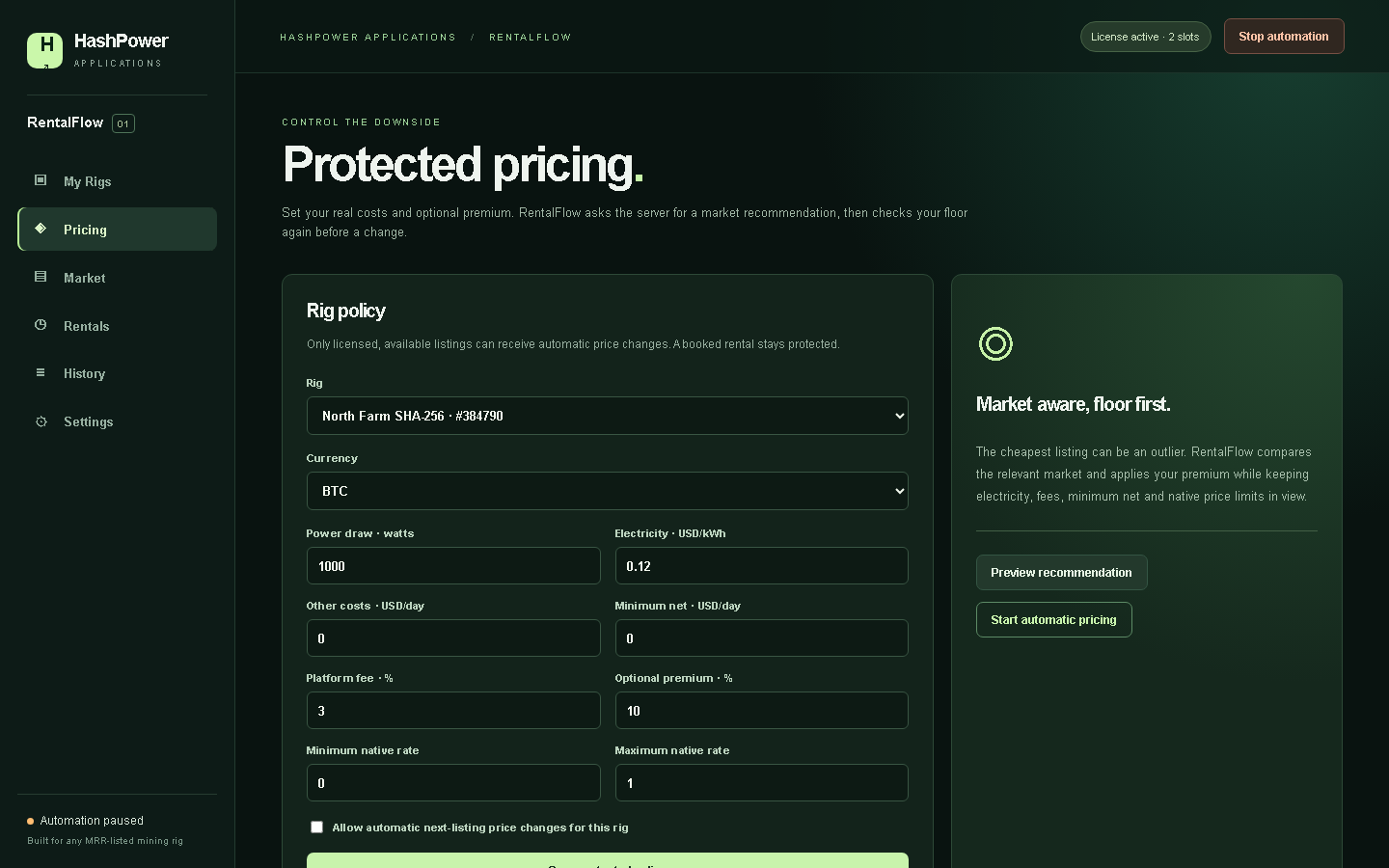
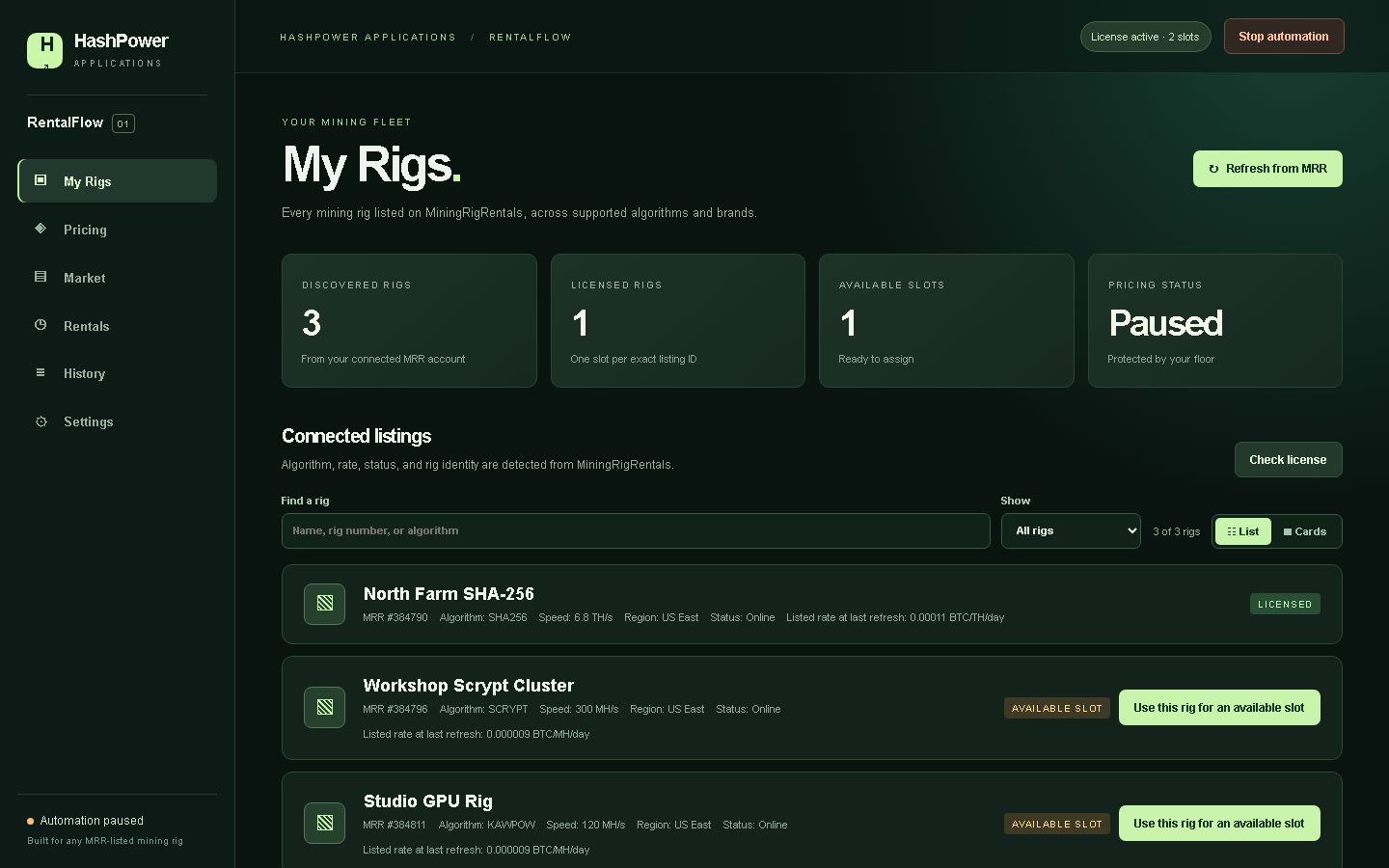
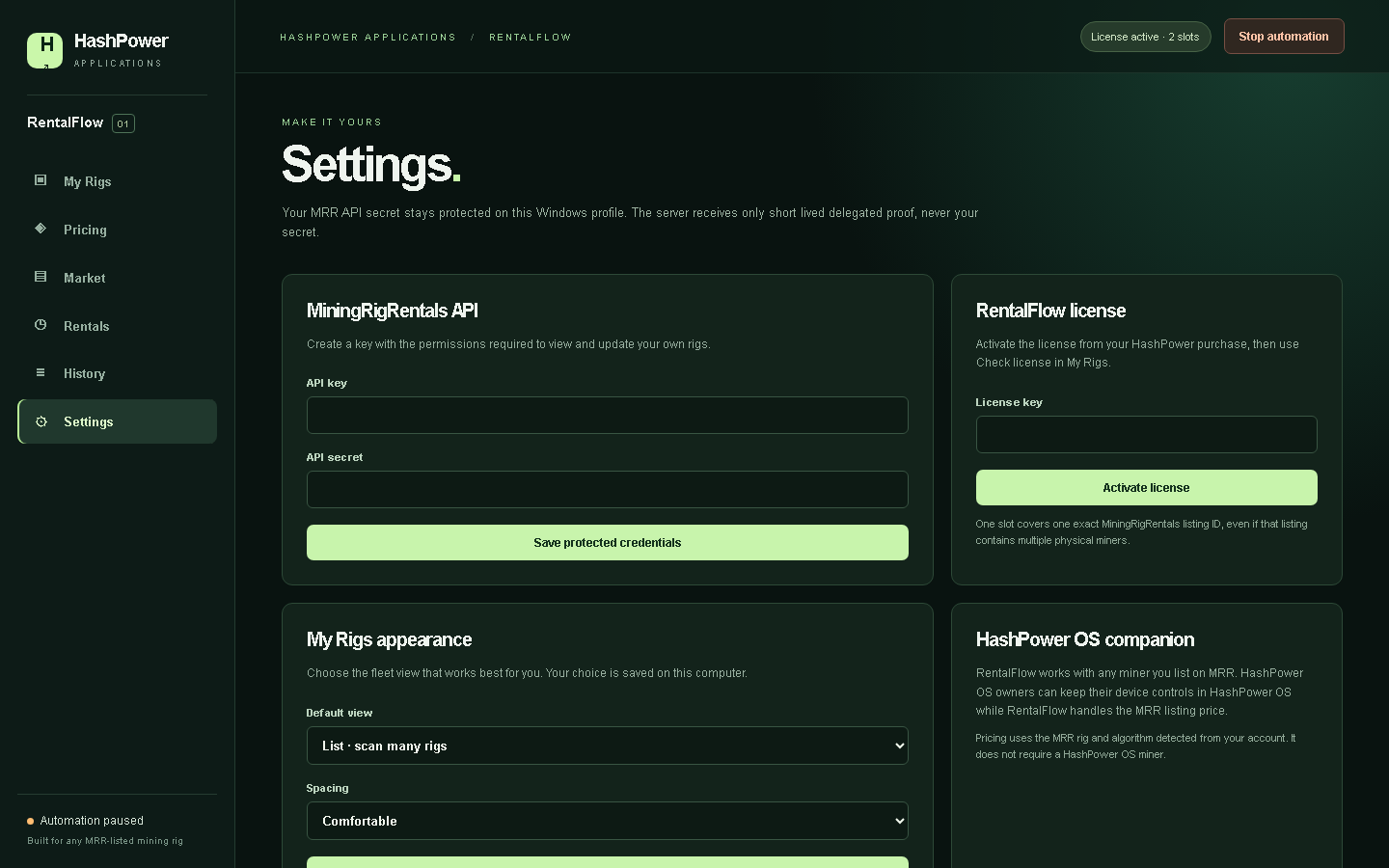
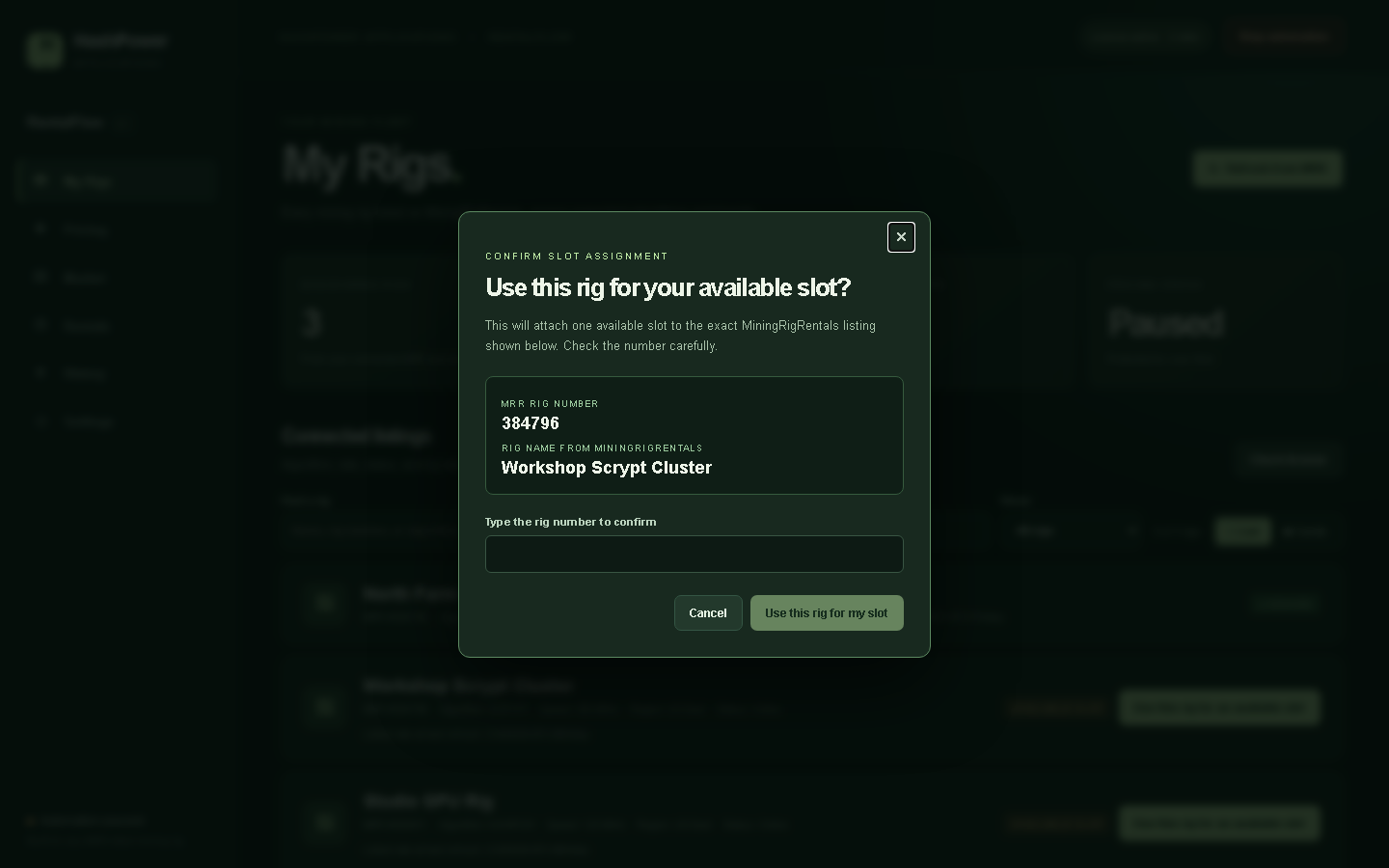
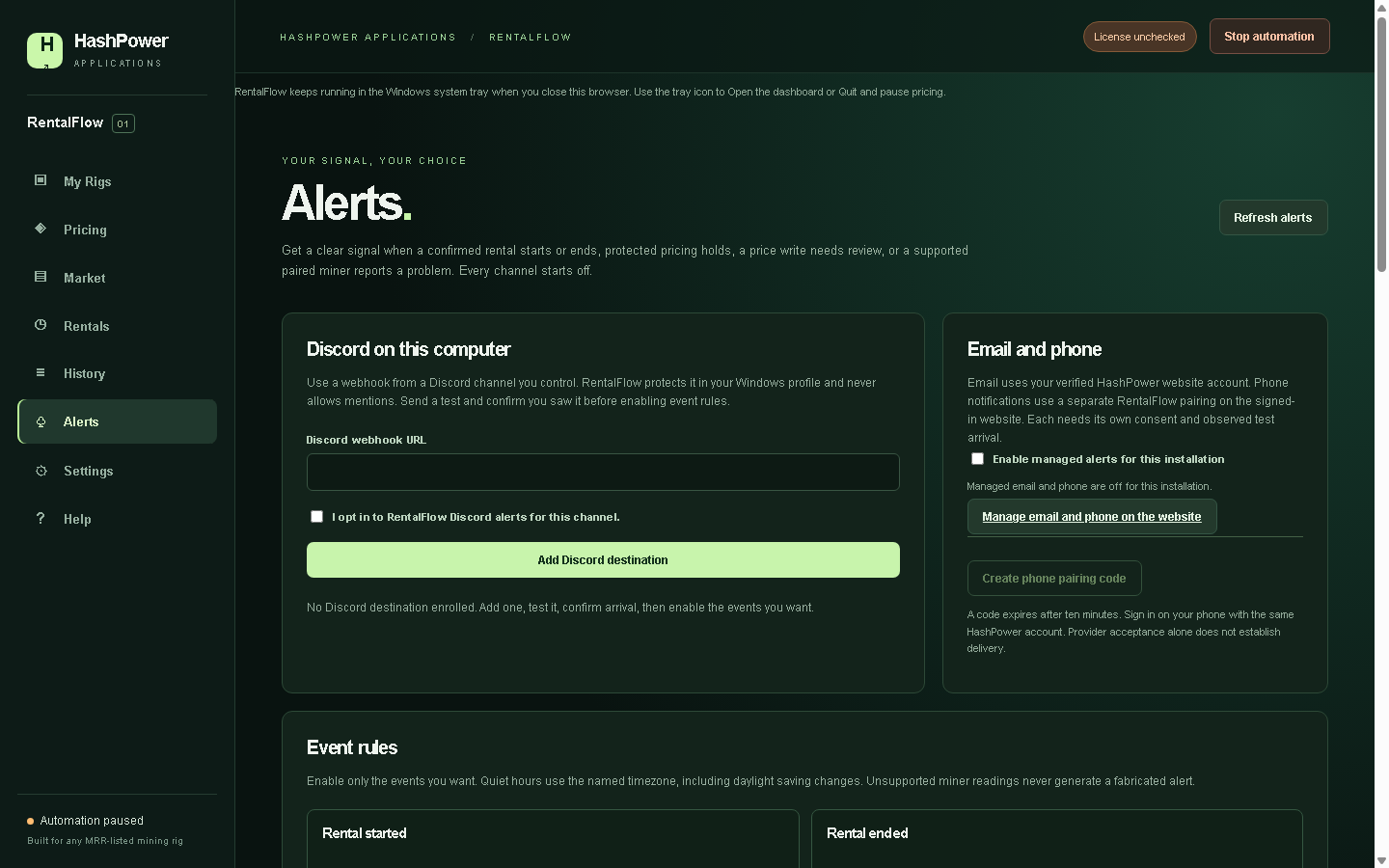
Connect, choose your rigs, then approve the rules.
- Install and activate. Buy the number of slots you need, connect your MRR account, then open My Rigs. Choose an unlicensed listing and confirm its exact name and MRR rig ID before using an available slot. One listing ID may represent more than one physical miner.
- Connect MRR locally. In your signed-in MRR account, create a dedicated API key with the permissions the app needs. Enter it only in the local application. Open MRR API Key Management.
- Check costs and targets. Confirm each rig's speed, power, electricity rate, fees, price range and optional premium.
- Review before automation. Inspect comparable sellers, your protected floor and the suggested next-listing rate. Explicitly approve automatic changes and their limits.
- Watch and stop safely. Follow live rental status, decisions and readback. Stop pauses new changes; history and reconciliation remain available.
RentalFlow reads the algorithm and rate unit from MRR for each listing. A missing or unsupported unit, incomplete market scan, or incompatible comparison pauses price changes instead of guessing. BTC, LTC, ETH, DOGE and BCH are settlement currencies; they do not change a rig's mining algorithm.
Simple license
$5 per MRR listing. One time.
Choose the number of listing IDs you want to license. One active computer per RentalFlow license is the planned policy. An assigned slot stays with its MRR listing ID; support reviews exceptional transfers. Buying more slots is an explicit additional purchase. A license does not itself approve MRR price changes.
$5
USD per listing seat · one time
No firmware license required. Payment fees and final total must
be shown before checkout.
Log in or create an account to buy slots
Choose the number of MRR listing slots after signing in. The same payment choices and displayed fees as the firmware checkout apply.
Download HashPower RentalFlow
Customer build 0.1.0 for Windows. Check the SHA-256 value after downloading.
Download HashPower-RentalFlow-0.1.0-Windows-portable-admin.zipSHA-256 af5c86eff2fabb41e048eb3677613de5692f3dbdf0316d302a049ecc51c1ded1
Requires Windows, a MiningRigRentals account with owned listings, an authorized API key, internet access for fresh premium pricing and a running PC while automation is enabled. On service or network interruption, new premium price changes pause; existing listing prices and read-only history stay available.
Clear answers for rig owners.
How do I get my MiningRigRentals API key?
Sign in to MiningRigRentals and open its API Key Management page. Create a dedicated key with permission to view your rigs and update their listing prices, then enter the key and secret in RentalFlow Settings under MiningRigRentals API. Keep both credentials private.
Does RentalFlow guarantee the best price or profit?
No. Demand, delivery, exchange rates and other sellers change. It helps you use market evidence and enforce your configured floor.
Can RentalFlow notify me when a rental starts or a miner needs attention?
Yes. The current Windows download includes an Alerts tab with opt-in local Discord, event rules, quiet hours, a test and revoke controls. Enable a destination only after you have observed its test. Rental changes need confirmed MRR evidence; miner health notices require a supported, explicitly paired local device. Verified-account email and phone push need separate enrollment and delivery validation before use.
Will local miner monitoring work with every brand?
MRR listing discovery and protected pricing work for any MRR-listed miner brand. The optional read-only local monitor is being validated against specific compatible APIs, and a device will show only fields it actually reports. HashPower OS Nano 3S companion controls would apply only to a separately paired supported Nano 3S.
Does HashPower receive my MRR API key or secret?
Your API secret stays on your computer. For paid-slot ownership checks, the app briefly sends your API key and two one-use signed requests to HashPower's server. It forwards those requests to MRR, keeps the selected listing ID, name and account identity, and does not retain the key or secret. Premium pricing receives minimal normalized listing, policy and cost context.
What happens when the pricing server is unavailable?
New premium recommendations and protected sends pause. Your current listing prices are not reset, and safe Stop, status, history and reconciliation remain available.
What operational data goes to Cloudflare?
The app sends limited signed health and error events directly to Cloudflare so support can diagnose delivery issues without routing routine telemetry through the licensing server. These events exclude your MRR secret, listing names, prices, profit figures and payment information. The current retention target is 30 days.
Can it change an active rental's booked rate?
The protected pricing workflow targets the next advertised listing rate and preserves booked contract terms.
Is it an official MRR product?
No. HashPower is independent and is not affiliated with or endorsed by MiningRigRentals or Canaan.
Do I need an Avalon Nano 3S or HashPower OS?
No. RentalFlow works independently of miner firmware or brand. It detects your listing's MRR algorithm and native rate unit. Unsupported units or insufficient matching market data pause changes safely.